
Deep Dive into Antigravity's New Default Agent Permissions
An in-depth look at Antigravity's terminal sandbox on macOS and Linux: how the Default mode strikes the right balance between safety and reduced prompt fatigue.
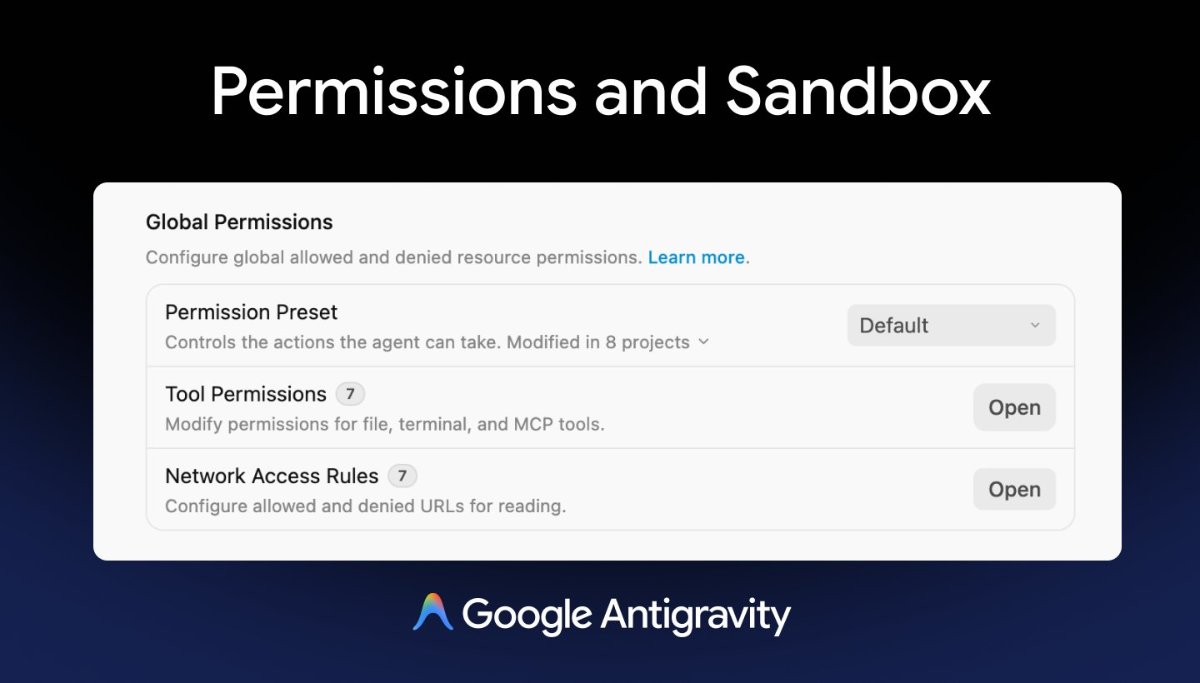
The permission architecture in Google Antigravity is undergoing a significant evolution.
The short takeaway: Under the new Default permission preset, you will be interrupted by far fewer confirmation prompts.
By introducing upgraded operating-system-level sandboxing on macOS and Linux, terminal commands now execute inside an isolated sandbox by default. So long as the agent is interacting strictly with files inside your active workspace without outbound network access, commands proceed autonomously without manual approval.
Note: Windows currently retains the legacy permission model.
Previously, developers had to choose between two extremes: fully permissive Turbo mode, or an interactive review cycle that prompted on virtually every command. The new Default preset establishes a well-balanced middle ground.
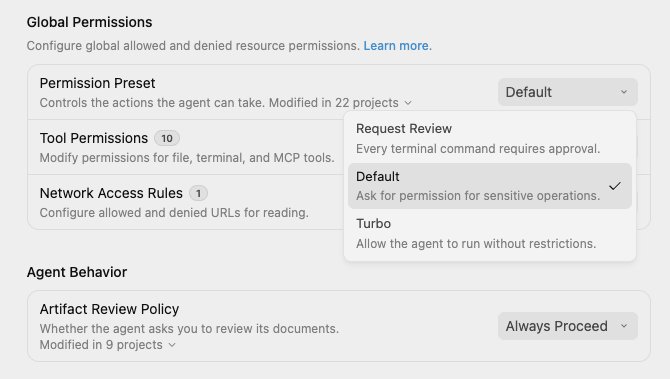
Mode Overview
Request Review
- Every terminal command requires explicit human authorization; commands run outside the sandbox.
- Read and write file access is restricted to the workspace.
- Outbound network requests are blocked by default and require approval.
Default
- Commands run autonomously inside the sandbox without manual confirmation. The agent can request unsandboxed execution when necessary, subject to human approval.
- Sandbox file read/write is strictly confined to the active workspace and system temp directories.
- Outbound networking inside the sandbox is blocked. To access external APIs, the agent requests unsandboxed execution.
Turbo
- All commands execute automatically outside the sandbox without prompts.
- Global filesystem read/write access is permitted.
- Unrestricted network access is enabled for the agent.
The update also refines how granular permission rules bind to sandbox states:
- When sandboxing is disabled, standard
commandrules govern all commands; when sandboxing is enabled, they govern commands running inside the sandbox. - When sandboxing is enabled,
unsandboxedrules apply exclusively to commands attempting to bypass the sandbox.
Permission Presets in Practice
Permission presets dictate baseline behavior, while your explicit allow, deny, and ask lists layer on top with authoritative precedence.
In Default mode, terminal operations run inside an isolated Terminal Sandbox. When an agent legitimately requires host network access or system-wide resources, it petitions for unsandboxed execution. Unless pre-cleared by a matching command(...) allow rule, Antigravity pauses for your review.
You can configure global presets under Settings → General → Permission Settings, or override them per project in Settings → Projects. Newly initialized workspaces default to Inherit Global.
Glossary Reference
| Antigravity Term | Context / Meaning |
|---|---|
Security Preset | High-level baseline policy across sandbox and approvals |
Default | Autonomous sandboxed execution with approval for host access |
Turbo mode | Unsandboxed, fully autonomous execution |
Local Permissions | Filesystem access boundaries |
Network Access Rules | Egress networking policies |
Terminal Commands | Shell execution rules |
Commands Outside Sandbox | Unsandboxed execution permissions |
MCP Tools | Model Context Protocol server capabilities |
sandbox | Isolated OS process container |
agent | Autonomous coding persona |
(Note: As of writing, this rollout is progressively deploying across active release channels.)