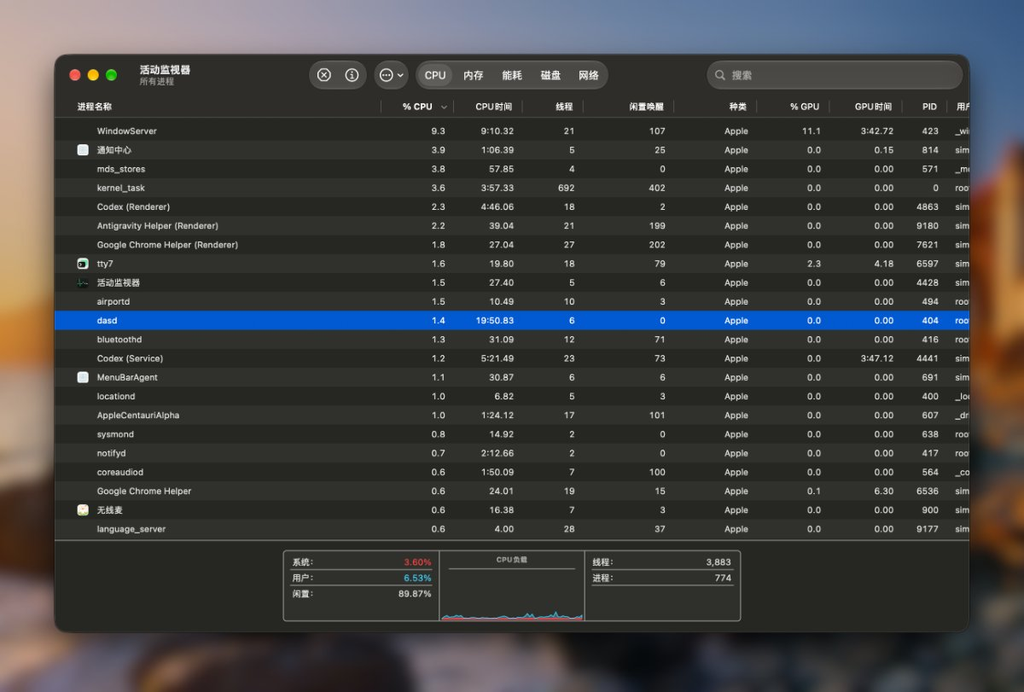
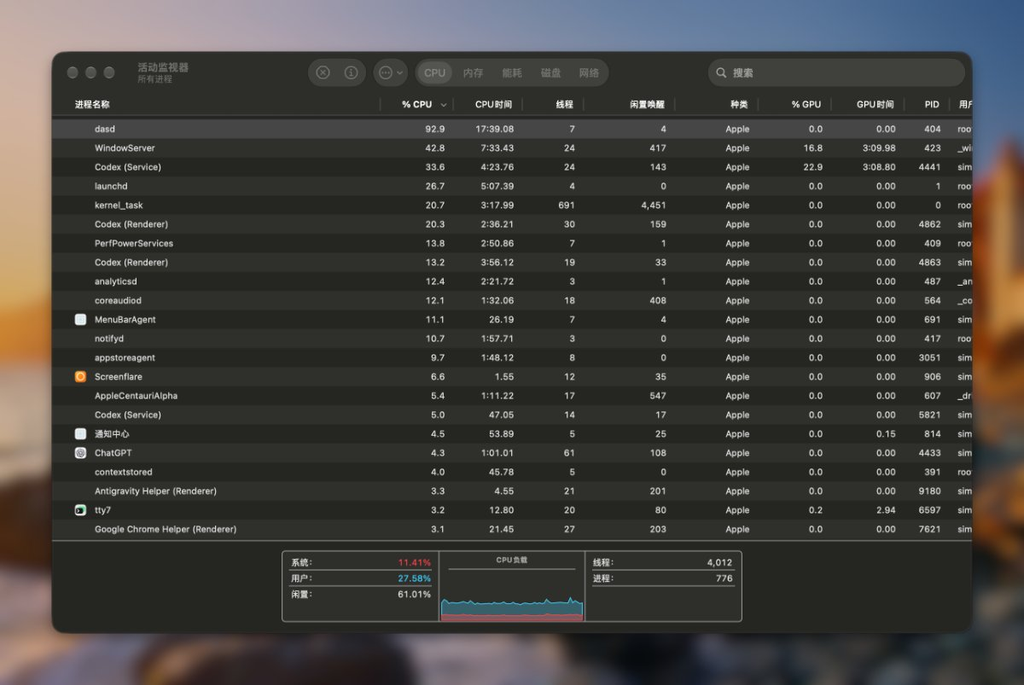
Today, my Mac (running the latest macOS 27.0 beta 8) suddenly started lagging. Opening Activity Monitor revealed that a system process named dasd was pinning a single CPU core at 90%–120%. A quick search yielded no useful answers. Tracing it down with Google Antigravity, I uncovered a hilarious blunder: an infinite loop caused by an Apple engineer handling time zones incorrectly.
TL;DR — Run this command directly:
defaults write com.apple.appstored ArcadePayoutResetDate \
  -date "$(date -v+3d -u +"%Y-%m-%dT%H:%M:%SZ")" && \
  killall appstoreagent
Troubleshooting Process with Google Antigravity
Conclusion & Current Status (BLUF)
dasd continuously consuming 90%–99% CPU is not routine background system maintenance, but rather appstoreagent (the App Store background daemon) trapped in a hyperactive scheduling loop.
The root cause has been isolated and resolved. CPU usage for dasd dropped from 98.1% to 0.0%, and the system returned to normal without requiring a reboot.
Root Cause Analysis
Unified Logging System captures and process call traces provided clear evidence of the infinite loop:
- Offending Task:
com.apple.appstored.ArcadeResetPO(Apple Arcade payout metrics reset task). - Logic Flaw:
- The actual current time was in the afternoon, but
ArcadePayoutResetDateincom.apple.appstoredpreferences was pinned to midnight earlier that day:2026-09-06 00:00:00 +0800(a timestamp in the past). - After finishing the reset,
appstoreagentfailed to advance the timestamp to the next cycle (the following day). Instead, it re-registered the task using the already expired timestamp2026-09-06 00:00:00. - When
dasd(Duet Activity Scheduler) received the registration, it saw that the scheduled execution time was in the past, marked it as overdue, and triggered it immediately (Running immediately on submission). - Outcome: Over 400 dispatch and IPC events triggered per second, keeping
dasdpegging a full CPU core continuously.
- The actual current time was in the afternoon, but
Unified Log Trace
appstoreagent: [ArcadePayoutReset] Payout metrics reset with current payout reset time: 2026-09-06 00:00:00+0800
appstoreagent: [ArcadePayoutReset] Reset with reason: Rescheduling
appstoreagent: [ArcadePayoutReset] Using new date: 2026-09-06 00:00:00+0800 with reason: Rescheduling
appstoreagent: [ArcadePayoutReset] Activity not scheduled; submitting request
dasd:          SUBMITTING: 501:com.apple.appstored.ArcadeResetPO
dasd:          Running immediately on submission
dasd:          REQUESTING START: 501:com.apple.appstored.ArcadeResetPO
Mitigation & Verification
The loop was broken by manually pushing the scheduled date forward in user defaults and gracefully restarting appstoreagent:
- Command Executed:
defaults write com.apple.appstored ArcadePayoutResetDate -date "2026-09-06T16:00:00Z" && killall appstoreagent - Verification Results:
- Monitored via
top/ps:dasd(PID 404) CPU usage instantly fell to 0.0%. - After restarting,
appstoreagentsuspended normally and stopped flooding the system log at 400+ entries/sec.
- Monitored via
After working through the trace with Google Antigravity, CPU usage is back to normal.